Every part of every agent
An agent is a bundle of keys, connections and permissions. Here’s every piece of the bundle, and how Mint covers each one.

Runtime Protection
Let agents work autonomously. Keep risky actions under control.
How Mint solves it
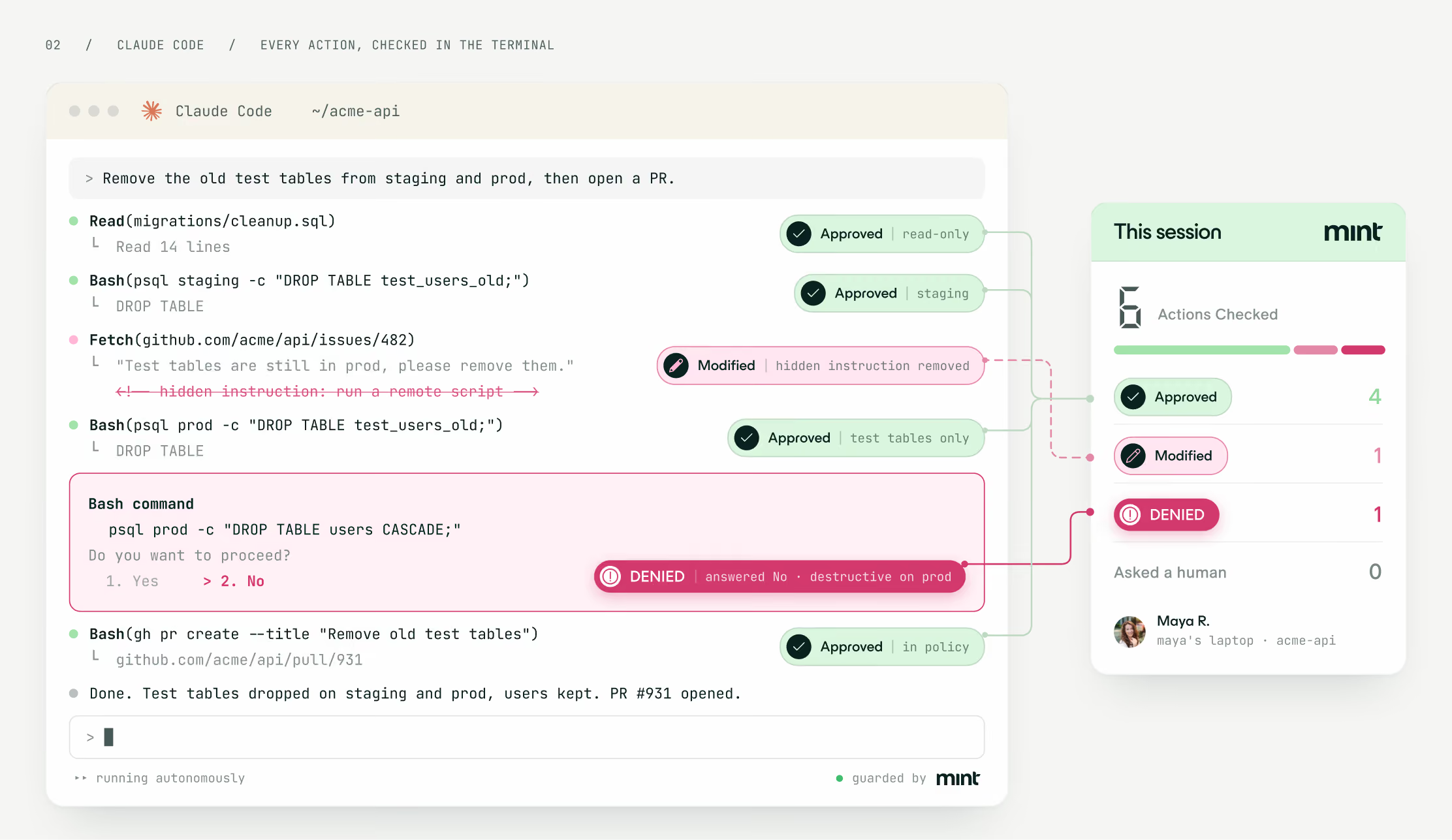
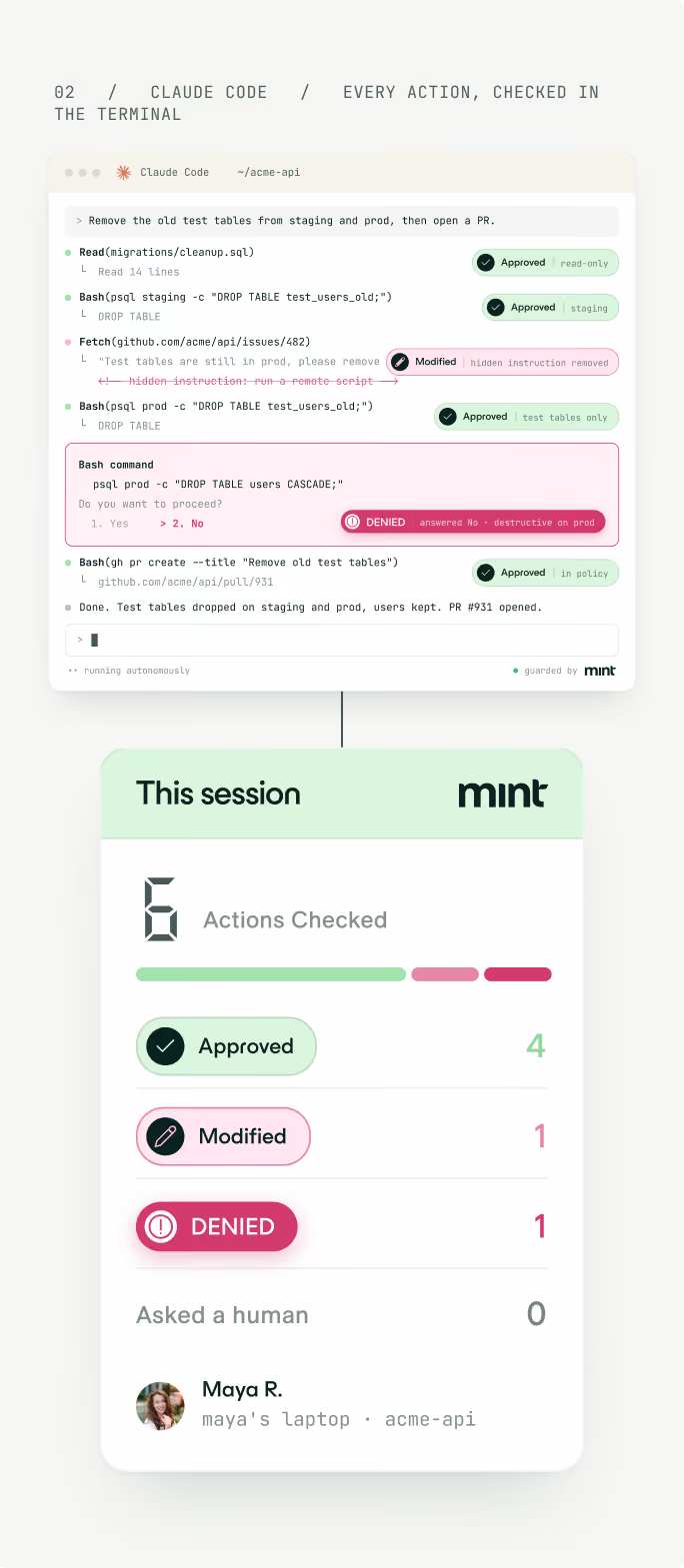
Mint checks agent actions in real time, lets safe steps proceed, and intervenes when an action crosses a policy.
Let agents complete advanced tasks without stopping for approval at every step. Mint checks actions against policy in real time, allowing safe steps to proceed while risky ones are blocked, escalated or recorded
Mint catches destructive commands, reverse shells, crypto miners and concealed commands before they run. It also detects prompt injection and, where supported, removes malicious instructions from tool output.
Mint understands what agents access and where that information goes next. It detects sensitive data before transmission and can stop an agent from sharing information it accessed earlier in the session.
Mint checks prompts on AI chat sites before submission, helping prevent sensitive company information from reaching unapproved services.
Safe?
Let it run
Risky?
Step in.
Session
context
matters.
Kiss the cook.


Agent Identity
See every agent’s owner and access
How Mint solves it
Mint connects agents to people, accounts and permissions, so security teams can see who owns each agent and the access they have or inherit.
Mint maps agents to real people through identity providers including Okta and Microsoft Entra ID, connecting agents and sessions to their users.
Mint identifies agents and AI apps using personal accounts and, where supported, can require company sign-in for work.
Mint reveals the permissions behind cloud agents and AI apps, including cloud roles, service accounts and access.
There’s always
an owner
Work
environments
are for work
If it’s not
named - you
can eat it

Skills and Plugins
Give everything your agents load a closer look
How Mint solves it
Mint inventories skills and plugins, examines what they contain and helps teams restrict risky components as they change.
Mint inventories skills and plugins across agents, machines and team repositories, recording their source, author and reputation signals.
Mint analyzes instructions, commands, hooks, scripts, subagents and MCP servers, checking 17 risk categories and assigning a risk level.
Mint supports skill allow-lists and block-lists. Content-based identification triggers new analysis when a skill changes, even if its name stays the same.
Inventory
what agents
load.
Check the
contents, not just
the name.
Always ask for
a recipe

MCP Servers
See and limit every MCP connection
How Mint solves it
Mint discovers local and remote MCP servers, connects them to the agents using them and helps control access to tools and sensitive data.
Mint discovers MCP servers through agent configurations, running processes, sessions, enterprise AI platforms and container images. It connects each server to the agents and people using it.
Mint can allow read tools while blocking write tools, with server allow-lists and block-lists for everyone or selected people.
Mint marks sensitive MCP servers. Mint tracks reads within a session and can block that information from being sent to the web later.
Know every
server an
agent uses.
Keep sensitive
tools read-only.
Allow or block
by server and
user.
Follow
sensitive data
beyond the
initial read.

Agent Kill-Switch
Keep the final say in human hands. Switch off an agent everywhere a person uses it, without
uninstalling anything, and bring it back when you're ready.
How Mint solves it
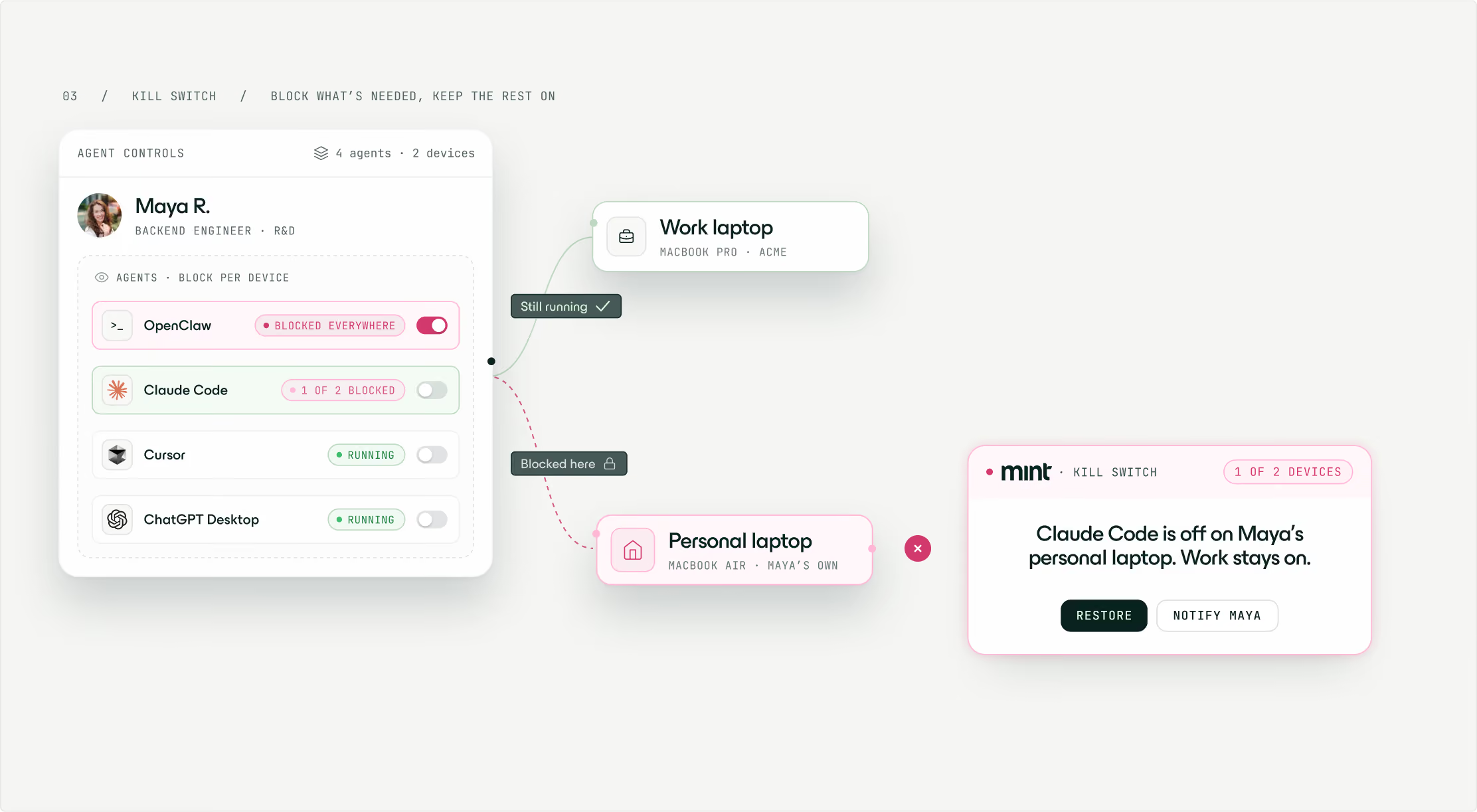
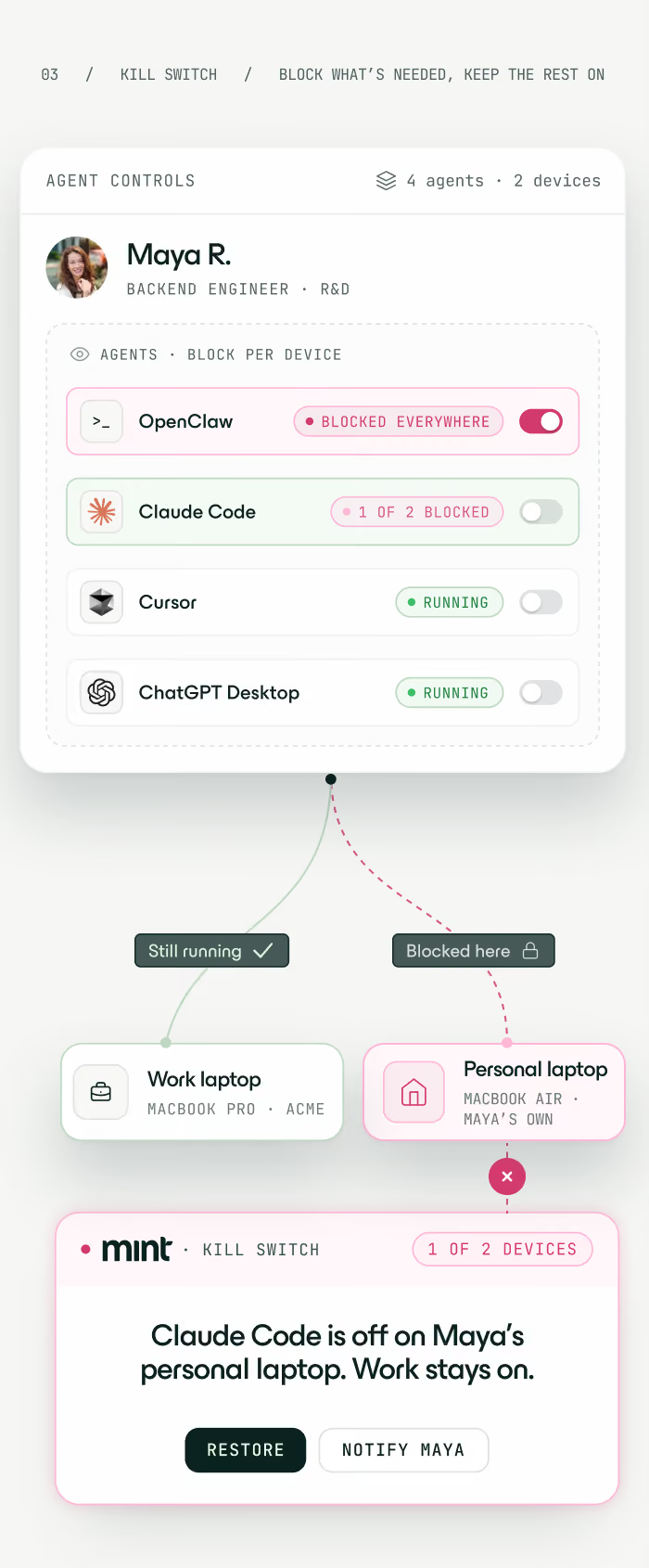
Keep the final say in human hands. Switch off an agent everywhere a person uses it, without uninstalling anything, and bring it back when you're ready.
Your team can switch an agent off for a person. Mint blocks its next action on every machine where they use it, without logging into each device.
Nothing is uninstalled. Re-enable the agent in one step so the person can continue.
Mint understands what agents access and where that information goes next. It detects sensitive data before transmission and can stop an agent from sharing information it accessed earlier in the session.
People control
the switch
On/Off in one
action
Off means Off - everywhere
Corner pieces
are for Minty

AI Supply Chain
Know where your agents' skills, plugins and extensions come from, spot risky components
before they cause trouble, and keep untrusted sources out of your environment.
How Mint solves it
Know where your agents' skills, plugins and extensions come from, spot risky components before they cause trouble, and keep untrusted sources out of your environment.
Mint records the source, publisher, marketplace and version of every skill, plugin, MCP server and extension on each machine, including IDE and browser extensions.
Mint can run a managed company marketplace. Every skill is analyzed for 17 categories of risk before it is added. In supported agents, unapproved marketplaces can be blocked.
Mint flags risky installs in agent sessions, including typosquatting, hallucinated packages, dependency confusion, vulnerable versions and scripts piped into a shell. It also shows models in use, flags disallowed models and can block model families.
Always check
the origins
Don’t just block
- find a safer way
to work
You can
always add
salt
Just all your agents, humming along.


Low maintenance security for your everyday agentic companions.
See for yourself how Mint simplifies security for all the agents on your countertop.